Posts

Showing posts with the label Tips n Tricks

Quick Tip - Quickly Switching Phones
Image
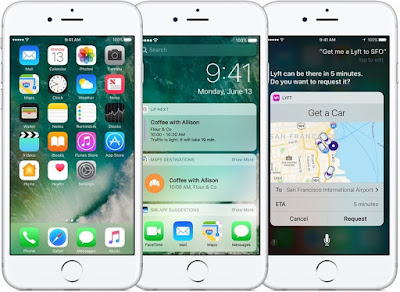
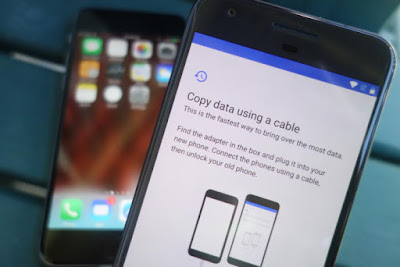
Switching Phones - An Illustration Anda berbicara Bahasa Indonesia? Baca artikel terjemahannya di sini ! I'll admit this last few weeks are kind of slow, so that's why I'm writing this. In this article, I'm going to share a tip on how to quickly move between devices. A decade ago, moving between devices is a pain. You have to manually backup your contacts, photos, etc. using PC Suite, if you still remember the term. Coupled with the limited technology back then, it was a painful chore. But now, thanks to cloud technology, everything is a snap. I'll show you. Oh, and before we begin, let me tell you that I'll be using the most common services, which should be used by most people. You may use other services, but I bet that you are currently using at least one of these. Oh, and this guide is mainly aimed for switching from one Android phone to another. I'll mention iOS at some points, but that's not our main topic. Contacts, Calendar, Mail: Google...
Quick Guide: Clear Administrator Error When Removing Google Account On Xiaomi Devices

Image
Illustration. No, we're not talking about iOS today. Anda berbicara bahasa Indonesia? Baca artikel terjemahannya di sini ! It's been quite a while since I last wrote a quick guide. Well, things have been busy and since there's no budget for a new device, well… device reviews will be paused for quite a bit. Instead, I will be writing reviews for apps and quick guides for overcoming errors in my devices. So, what's in store this time? Recently, I switched from Xiaomi Mi Note 2 to Asus Zenfone 3. Why, because the Mi Note 2 was not mine, and I won a free Zenfone 3. I prefer Zenfone 3's camera (which uses the same sensor as Mi 5, BTW) so I switched. Fortunately, the Snapdragon 625 wasn't that much slower than the former-flagship 821, so I don't really notice the downgrade. Before returning the Mi Note 2, I had to remove my Google Account in it. Otherwise, the owner will need my password to re-use that device, even after a factory reset. That's been ...

Missing Windows Photo Viewer in Windows 10? Here's a Solution!

Image
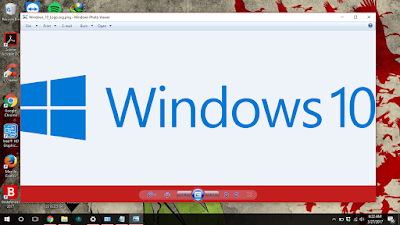
I really love the Windows Photo Viewer. Anda berbicara bahasa Indonesia? Baca artikel terjemahannya di sini ! Windows 10 totally revamps the Windows UI which has been known as "ancient" and "complicated". Learning from their mistakes in Windows 8, Windows 10's interface is now optimized for both desktops and tablets. Even so, it seems like Microsoft retains their decision in replacing the old default apps with their new "modern" apps. For example, Photos now replaces the old Windows Photo Viewer. There's also Music, which replaces Windows Media Player, etc. Windows Photo Viewer (left) vs Photos (right). Which one do you prefer? To be honest, I don't really like the new "modern" apps because of their "overly simple" and "confusing" interface. Moreover, the options provided in the modern apps are not as powerful as their "ancient" counterpart. For example, the print menu in Photos. The options...

Opinion: Mid-Rangers or Ex-Flagships?

Image
So many phones to choose, so limited my budget. Anda berbicara bahasa Indonesia? Baca artikel terjemahannya di sini . Another month, another opinion-based article. In this opportunity, I want to talk about whether you should buy ex-flagships (aka the former kings) or the new mid-rangers when you have limited budget. Honestly, it's not easy to choose one unless you really know what you really want and what you're going to buy. Normally, sellers will offer you newer goods, but old stuffs don't always mean outdated and obsolete, right? I'm going to divide this article to 2 sections: Ex-Flagships and Mid-Rangers. In each side I will point out its related pros and cons. Hopefully, you will find them clear enough. So go on, head past the break to read them all! :D

Fixing Windows 10 Issue: Missing UI Text

Image
Windows 10's Start Menu is a Marvel. Apakah Anda berbahasa Indonesia? Baca artikel terjemahannya di sini ! Another day, another Windows 10 tip. Who doesn't like Windows 10? This release makes Microsoft seem as if they had finally found the right combination between the flat style UI and the traditional familiarity of Windows. However, just like all kinds of software, bug is still present, and one of them, is the missing texts of system UI. What do I mean? Well, head past the break to find out more. In fact, I'll also give you a tip on how to solve that annoying bug.

iOS10 Tips: Opening Lockscreen without Pressing Home Button

Image
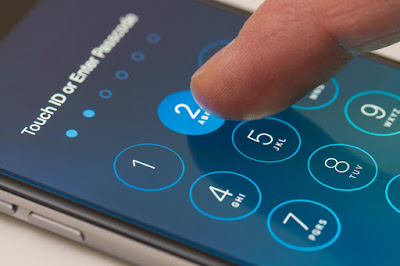
Illustrated iOS10 on iPhone6 (or iPhone6S) Anda berbahasa Indoneisa? Baca artikel terjemahannya di sini ! I'll have to admit that iOS10 is quite a revolutionary upgrade. With various new features added such as widgets and into existing apps like Siri and iMessage, iOS10 might the most flexible (and possibly the most open) iOS to date. However, there's one new "feature" which is quite disturbing to me, which is the need to press the home button when unlocking your phone. In the previous iOS version, you only need to rest your finger on the sensor to unlock your device. Press Home to Unlock. No longer. The good news is, this "new feature" can be turned off. Honestly, since I'm kind of a person who takes "extraordinary" care for his home button (including the ones in Samsung devices), I try my best to never press it whenever possible. Why, because I've seen numerous broken home buttons, either them being unresponsive or no longer c...

Being a Smart Customer - Looking Further into Deals

Image
When you see this sign, what will you do? Will you take the bait? Apakah Anda berbahasa Indonesia? Baca artikel terjemahannya di sini ! I have quite an interesting story to share with you guys. Well, at least for me, this story is interesting enough to write and post immediately. A few days ago, on September 29 2016, to be exact, I saw an interesting deal. A very interesting and tempting one. Imagine, for each web hosting package you extend or buy in September, you will also score a lifetime discount of up to 40%. This means that all your future payments regarding to affected packages will be discounted by 40%, forever. Very tempting, isn't it? Above is the promotion banner. In case you don't understand, it says that there is a lifetime discount of up to 40%. For each web hosting package you buy, you will also get a free domain and free unlimited SSL. However, I just couldn't bite that promotion, because I strongly believe that there are only a handful of deals...

SSD: Steroids for PCs

Image
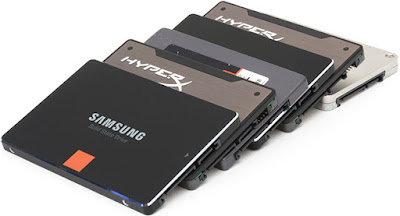
SSDs, compared to HDDs, are smaller and more compact Anda berbahasa Indonesia? Baca artikel terjemahan di sini ! Have you ever heard of SSDs? If not, that’s fine. Actually, SSDs are like HDDs or most commonly known as harddisks, or storage. Except, there’s one obvious difference: HDDs spin while SSDs don’t. The term “SSD” is an acronym for “Solid State Disk”. The word “solid” is taken from the fact that they don’t spin. In fact, they look exactly like memory chips (or RAM, according to some people). A HDD’s speed is determined by how many spins it can make per minute. For example, the standard modern HDD is rated at 5400rpm while the speedier ones can score 7200rpm. HDD seeks data by reading “blocks” which are embedded on the spinning part. Ever saw a gramophone? Yes, that’s exactly how HDDs get your data, which is why spinning speed matters. The faster the disk spins, the faster it fetches your data. On the other hand, SSDs don’t spin. Your data is stored on the chips and is av...

Check Your PC Fan using HWiNFO and smcFanControl

Image
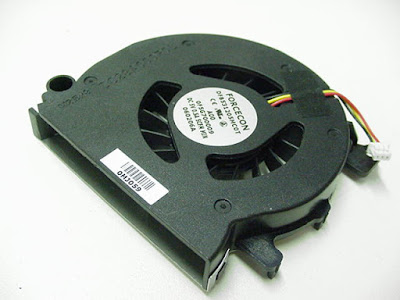
Laptop fans. Small, but very important. Anda berbahasa Indonesia? Baca artikel terjemahannya di sini ! Even though there are fan-less systems nowadays, fans still play a major role in the life of many PCs. That heat is responsible for many things going wrong in your system, such as frequent blue screen, sudden death, performance hiccups, or even degradation of your components. Heatsink, those thin metal fins, may help dissipating your heat, but they're not as effective as spinning fans. Seriously, though, fans are important. A few days ago, I just noticed that my laptop fans are dead. Oh wait, fan. My Dell Inspiron 5447 only has one fan. How did I notice? Simple: it's gone silent, and it got unusually hot. Very hot. Seriously, though, I was afraid, and I didn't know what to do. To be honest, I didn't want to take it to the service center, since it's out of warranty, and I'm afraid about the price I would have to pay. Fortunately, I was able to open my la...

Not Enough Space for Windows 10 Anniversary Update? This Trick might Help You

Image
Windows 10 Anniversary Update Flyer Anda berbicara bahasa Indonesia? Artikel ini diterjemahkan di sini . Approximately one week ago, Microsoft released the latest major update to their Windows 10, dubbed the "Anniversary Update" which brings an update to the start menu as well as other changes and improvements, both visible and under the hood. While I updated my systems just fine, I was unable to update my trusty Acer Iconia W510. Why? Well... storage space, that's why. How much space I had left If you're updating through Windows Update, the application will tell you that you need to have at least 16GB of free space in your main partition (usually C:). Well, Sir... that's certainly impossible for my Iconia, because it only has 32GB to start with. That number doesn't count the partition size of ~4GB which leaves only 28GB of usable space. Cut that number with the size of Windows OS, built-in apps, and some of my personal apps, I was left with ...

Facing Thesis Exam: An Experience

Image
Every year, universities produce hundreds of thesis books. Maybe yours is one of them? Anda berbicara Bahasa Indonesia? Baca artikel terjemahan ini di sini . Just a few days ago, I went through one of the most significant obstacle to end another phase of my life: thesis exam. The term 'thesis' here belongs to a task that a student must do in order to graduate from an undergraduate program. Many people consider this one last roadblock to be agonizing, fearful, and of course, scary. I don't blame them... because I, too, was in panic a few days before the exam. But hey, I did it. And now I'm going to share my experience with you guys.

Fixing Skype "Unable to Connect" Error

Image
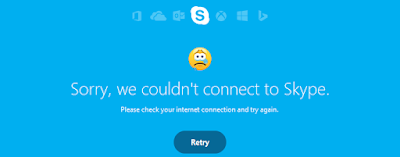
The other day, I was requested by my aunt to fix her Skype. She said that the application refused to sign in, and that a sad smiley kept appearing as she repeatedly clicked the "Try Again" button. So, okay. I've done these small maintenance before, how hard could it be? Maybe there's a glitch in the connection, or that it asks for a new update (although she said that she had updated it. She even had uninstalled and re-installed the program. Still, it refused to connect). She even brought it to her acquaintance which sells computers and told me that he had failed fixing it. He even resorted to last-resort alternative: reset and reinstall Windows. I thought it was ridiculous. Honestly, just because one program failing, I have to lose all my data and start over? Jesus, I would rather abandon that one program. Anyway, with overconfidence that I could fix whatever the problem was, I paid my aunt a visit. The Problem And well… Have you been put in a situation wh...

Is Your Xiaomi Power Bank Genuine?

Image
Illustration Well, Folks... I apologize for taking a very long time publishing something that I promised "won't take long". Things came up and I couldn't simply ignore them. Anyway, as promised, I have a few ways to determine whether your Xiaomi power bank is genuine or not. As I mentioned in my previous article, there are a handful of counterfeit power banks not only here in Indonesia,but also worldwide. You can head out after the break to find out how to differentiate whether your unit is fake or genuine. Update: Sorry about the long delay. I thought the draft wasn't ready yet, but today I reviewed the draft and it's 98% complete. Once again, I apologize for the delay and happy Lunar New Year! 

Updating Your Evercoss One X to Stock

Image
Android Lollipop brings a lot of improvements, but if the firmware is still unofficial, God knows what bugs still live inside the software As you can see from my review  here , some Evercoss One X units ship with a  user debug version of Android Lollipop. User debug basically means that it's still in beta stages and (probably) not ready for prime time due to bugs (camera flash and battery drain). What's worse is that it won't get official updates from Google, considering the firmware as 'tampered' and 'unofficial'. I don't know how a company as big as Evercoss could make such a mistake, as other Android One manufacturers don't seem to have the same issue. If you want to get the best of your phone, then you'll have to upgrade it to stock Lollipop. There are actually two ways to do this: either go to the official service centre and have them upgrade your phone or do it yourself. The former consumes more time since you have to get there and qu...

An Ad-Ware Horror Story

Image
A screenshot from Microsoft's campaign about using pirated software. This is what happened to me yesterday... technically speaking. If you've been in the Internet long enough (and are familiar with Internet and all threats within), you're bound to know about ad-ware (or adware, whichever one is right doesn't matter). If you don't know, then I'll gladly give you a brief explanation. Generally, computers (that have contact with the outside) have two kinds of threats: malwares (worms, viruses, trojans, etc.) and adwares. Malwares, as the name suggests––malicious wares, are programs created with the intention to break or damage your system. It can steal your precious data, delete important system files, or even access your computer when you least expect… or, just multiply itself to annoy the hell out of you. Regardless, malwares are evil, that's for sure. But, what about adwares? Well, adwares aren't as malicious as malwares, but they're ...

Fixing Blend Can't be Opened on Mac

Image
Blend's Hero Image. Courtesy of BlackBerry If you're a BlackBerry 10 user, you ought to know about Blend, the latest feature BlackBerry offered as a part of their newest 10.3 OS update. If you don't know and you're a BB10 user, I suggest you look it up on Google, as it is a very useful piece of software, at least for me. In case you don't know or don't want to look it up now, Blend is a software that connects with your BB10 handset running OS 10.3 or above (via USB, Wi-Fi, or Mobile Network). Once connected, you'll be able to send emails, BBM, text messages, and look at your calendar. You'll also be able to view your Hub, Contacts, and Files in your connected device. Sounds neat, doesn't it? What's better is that the software is also available for iPads and Android Tablets, aside from MacOS X and Windows. As much as it is a useful software, it is still new, and improvements are needed here and there. One example is for Mac. Some of you migh...

Fixing That Yellow Tint in Windows

Image
Again, it's been ages since I updated the post in this blog. The internship got me and that made my holidays more precious than spending time with computers. Fortunately, all of those are now behind me, although there's still paperwork to write. Well, the point is that my timeframe has become more... loose, and I have more time to breathe. Anyway, enough about me and my end-of-the-year holiday. Today I'm here to talk about a small glitch that has been plaguing the Windows Photo Viewer recently. Yes, if you have that strange yellow tint in the viewer, then you have this glitch. I first noticed this issue when I first used Windows 8 and installed the Office 2013 package. I don't know what's the cause, since people on the forums also reported this issue ever since installing new graphics drivers. Whatever the cause is, I'm here to share a solution on how to solve it. Notice something wrong in this picture? If you're Indonesian, you should :p It turns o...

Testing Out What's App for Web

Image
What's App Logo Well, it's been another while since I last updated my blog. Again, I've been busy with college work, mainly internship. In this new year holiday, I need to work as an intern in a company. It's mandatory for my major in order to be able to graduate... after you've finished your thesis, of course. Anyway, I recently stumbled into something interesting. It's not that new, but it's worth knowing, especially if you're a user of What's App, and sometimes find yourself too busy to just take a look at your phone, let alone reply your messages. Yep, you got that right. What's App recently outed the web client for their popular cross-platform messenger. Although I've been happily using it for two days now, there are a few limitations I've discovered so far: It only works in Google Chrome... for now. Although this may not sound like trouble, some people don't like Google's browser. For example, I may use Google Ch...