Posts

Showing posts with the label windows 10

Installing Precision Touchpad on Your Laptop
Image
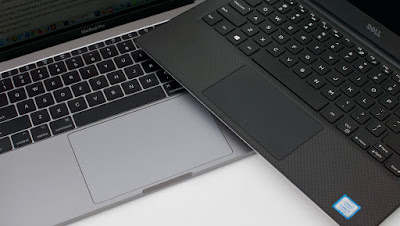
Windows touchpads have been inferior to Macs for a long while. Anda berbicara Bahasa Indonesia? Baca artikel terjemahannya di sini ! If you've ever used Macbooks before, I'm sure you notice that their touchpads are (way) superior than most Windows notebooks. You're not alone, and the majority of people also say the same thing. Unfortunately, it's not always caused by inferior hardware. Sometimes, it's caused by the software. Not anymore on the software side, though. Microsoft, in their infinite wisdom, has decided to develop their own touchpad driver called Precision. It has multi-finger gestures, and smooth scrolling and animations. Combined with better trackpad material, you can have (almost) the same experience as a Mac. You can compare them side by side with Synaptics or ELAN touchpads and you'll notice the difference immediately. The good news is, Precision drivers are being adopted by more and more PC manufacturers. The bad news, there are still ...


Quick Guide - Prevent Windows Auto App Install

Image
Our guide today has something to do with Microsoft Store. Anda berbicara bahasa Indonesia? Baca artikel terjemahannya di sini ! I'm pretty sure that while Windows 7 and 8 still has a considerable market share, most of you have tasted Windows 10. During its first setup, we were introduced to Cortana and a bunch of configuration which may concern our privacy. As if that's not annoying enough, I found myself facing another problem: automatic installation of a few apps. Even after uninstalling them, they kept coming again. Don't get me wrong, Windows 10, in my opinion, is the best Windows yet in terms of features and UI. However, Microsoft seems to take on this software-as-a-service a little too seriously. What I fear the most is when we no longer have complete control over installing these so-called "sponsored" and "we think you might love" apps. The Problem So, the apps that Microsoft kept installing in my PC was the infamous Candy Crush Soda Sa...

Fixing Disabled Search Bar In Windows 10

Image
Windows 10, albeit great, has its flaws Anda berbicara bahasa Indonesia? Baca artikel terjemahannya di sini ! Let's face it. Even though Windows 10 is great, it obviously is not bug-free, even after a couple of major updates. Personally, I found two bugs that annoy me the most: missing text and disabled search bar. I solved the missing text problem here . This article is intended to solve the latter. Windows 10 Universal Search in action. One of the key features in Windows 10 is its universal search. Coupled with the right hardware (SSD drives), it can be a powerful tool to finding your files/app/configuration in a snap. That's why losing this means losing the essence of using Windows 10. Anyway, after spending quite a while finding out the fix, it turns out that it is not that difficult. Let's head after the break to find out.

Missing Windows Photo Viewer in Windows 10? Here's a Solution!

Image
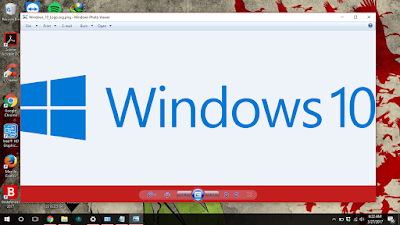
I really love the Windows Photo Viewer. Anda berbicara bahasa Indonesia? Baca artikel terjemahannya di sini ! Windows 10 totally revamps the Windows UI which has been known as "ancient" and "complicated". Learning from their mistakes in Windows 8, Windows 10's interface is now optimized for both desktops and tablets. Even so, it seems like Microsoft retains their decision in replacing the old default apps with their new "modern" apps. For example, Photos now replaces the old Windows Photo Viewer. There's also Music, which replaces Windows Media Player, etc. Windows Photo Viewer (left) vs Photos (right). Which one do you prefer? To be honest, I don't really like the new "modern" apps because of their "overly simple" and "confusing" interface. Moreover, the options provided in the modern apps are not as powerful as their "ancient" counterpart. For example, the print menu in Photos. The options...