Posts

Showing posts with the label trick

Installing Precision Touchpad on Your Laptop
Image
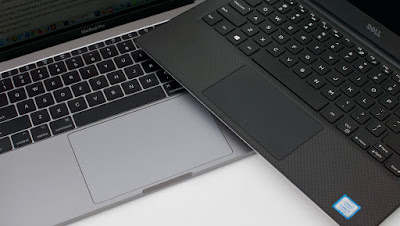
Windows touchpads have been inferior to Macs for a long while. Anda berbicara Bahasa Indonesia? Baca artikel terjemahannya di sini ! If you've ever used Macbooks before, I'm sure you notice that their touchpads are (way) superior than most Windows notebooks. You're not alone, and the majority of people also say the same thing. Unfortunately, it's not always caused by inferior hardware. Sometimes, it's caused by the software. Not anymore on the software side, though. Microsoft, in their infinite wisdom, has decided to develop their own touchpad driver called Precision. It has multi-finger gestures, and smooth scrolling and animations. Combined with better trackpad material, you can have (almost) the same experience as a Mac. You can compare them side by side with Synaptics or ELAN touchpads and you'll notice the difference immediately. The good news is, Precision drivers are being adopted by more and more PC manufacturers. The bad news, there are still ...

Digital Lending Safety Measures

Image
Digital lending illustration Anda berbicara Bahasa Indonesia? Baca artikel terjemahannya di sini ! Technology and the Internet has really made our life easier. We can do everything, from controlling our appliances to ordering food. Recently, there's a new trend in town: You can borrow money, digitally. Yes, that's right. Since your financial records are available and stored digitally (your savings, transactions, and shopping history), lending companies can monitor them and help them decide whether you're eligible for a loan or not. Unfortunately, that doesn't come without consequences. At least in Indonesia, unregulated lending companies offer easy loan with unrealistic interest rates, data misuse, and even abuse. There have been reports and victims from these "digital loan sharks". One even committed suicide. That is exactly why I'm writing this article. To give you some tips on how to avoid these loan sharks, and if possible, make you ask you...

Quick Tip - Quickly Switching Phones

Image
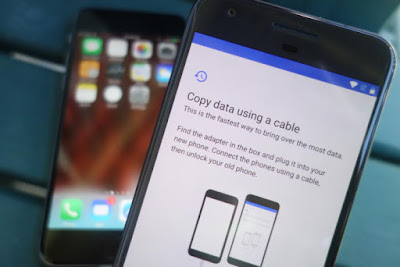
Switching Phones - An Illustration Anda berbicara Bahasa Indonesia? Baca artikel terjemahannya di sini ! I'll admit this last few weeks are kind of slow, so that's why I'm writing this. In this article, I'm going to share a tip on how to quickly move between devices. A decade ago, moving between devices is a pain. You have to manually backup your contacts, photos, etc. using PC Suite, if you still remember the term. Coupled with the limited technology back then, it was a painful chore. But now, thanks to cloud technology, everything is a snap. I'll show you. Oh, and before we begin, let me tell you that I'll be using the most common services, which should be used by most people. You may use other services, but I bet that you are currently using at least one of these. Oh, and this guide is mainly aimed for switching from one Android phone to another. I'll mention iOS at some points, but that's not our main topic. Contacts, Calendar, Mail: Google...

USB 3 Port Connecting and Disconnecting? Here's The Solution!

Image
USB 3 ports are normally colored blue. Anda bisa berbahasa Indonesia? Baca artikel terjemahannya di sini ! Who doesn't know USB 3? For those of you who don't know, USB 3 is the latest iteration of the USB port you usually use to connect various hardware (external harddisk, thumb drives, phones, etc.) to your computer. There's also USB-C, which is smaller and reversible. However, our focus here is on the normal-sized USB port. Anyway, USB 3 carries a few significant improvements, a few of which are its blue color and much faster speed (up to 5Gbps). Additionally, there's also a new feature: selective suspend. If it's implemented correctly, your computer can automatically suspend inactive USB 3 devices to save power. Unfortunately, the implementation for this eco-friendly feature is not always spot-on. For example, sometimes my external hard drive experienced connecting and disconnecting in a matter of minutes. I first thought that the cable was funny, but aft...

How to Disable Gatekeeper on macOS Sierra

Image
Gatekeeper Logo Anda berbicara bahasa Indonesia? Baca artikel terjemahannya di sini ! I've been using Mac for quite a long while, and I must say that I like it, despite the direction the UNIX-based platform is going and the insane price a certain manufacturer is asking for their laptops. In fact, I'm planning to keep my 2012 MacBook Pro until its death, at which point I may or may not have enough money to afford another one. Anyway, today's not about my Mac, today's all about OSX's (now macOS) security feature, Gatekeeper. If you're a frequent Mac user like me, I'm pretty sure you know about this feature already. Yes, Gatekeeper is Apple's solution to make its OS secure. Its purpose is to stop malware from ever entering your Mac, usually by installing malicious apps from unknown sources. Though it sounds good, I found out that the security is kind of... annoying, especially on Sierra, the Mac's latest iteration, especially if you like to inst...

Fixing Windows 10 Issue: Missing UI Text

Image
Windows 10's Start Menu is a Marvel. Apakah Anda berbahasa Indonesia? Baca artikel terjemahannya di sini ! Another day, another Windows 10 tip. Who doesn't like Windows 10? This release makes Microsoft seem as if they had finally found the right combination between the flat style UI and the traditional familiarity of Windows. However, just like all kinds of software, bug is still present, and one of them, is the missing texts of system UI. What do I mean? Well, head past the break to find out more. In fact, I'll also give you a tip on how to solve that annoying bug.

iOS10 Tips: Opening Lockscreen without Pressing Home Button

Image
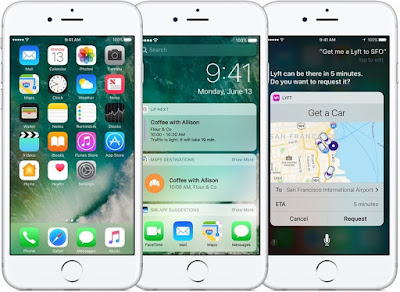
Illustrated iOS10 on iPhone6 (or iPhone6S) Anda berbahasa Indoneisa? Baca artikel terjemahannya di sini ! I'll have to admit that iOS10 is quite a revolutionary upgrade. With various new features added such as widgets and into existing apps like Siri and iMessage, iOS10 might the most flexible (and possibly the most open) iOS to date. However, there's one new "feature" which is quite disturbing to me, which is the need to press the home button when unlocking your phone. In the previous iOS version, you only need to rest your finger on the sensor to unlock your device. Press Home to Unlock. No longer. The good news is, this "new feature" can be turned off. Honestly, since I'm kind of a person who takes "extraordinary" care for his home button (including the ones in Samsung devices), I try my best to never press it whenever possible. Why, because I've seen numerous broken home buttons, either them being unresponsive or no longer c...

Being a Smart Customer - Looking Further into Deals

Image
When you see this sign, what will you do? Will you take the bait? Apakah Anda berbahasa Indonesia? Baca artikel terjemahannya di sini ! I have quite an interesting story to share with you guys. Well, at least for me, this story is interesting enough to write and post immediately. A few days ago, on September 29 2016, to be exact, I saw an interesting deal. A very interesting and tempting one. Imagine, for each web hosting package you extend or buy in September, you will also score a lifetime discount of up to 40%. This means that all your future payments regarding to affected packages will be discounted by 40%, forever. Very tempting, isn't it? Above is the promotion banner. In case you don't understand, it says that there is a lifetime discount of up to 40%. For each web hosting package you buy, you will also get a free domain and free unlimited SSL. However, I just couldn't bite that promotion, because I strongly believe that there are only a handful of deals...