Posts

Showing posts with the label Android

Opinion - Why I No Longer Flash For Fun

Image
Flashing illustration Anda berbicara Bahasa Indonesia? Baca artikel terjemahannya di sini ! Android users have been treated with one strong benefit: choice. Imagine, you have lots of devices to choose, all with various specs and manufacturers. If you want, you can also change the phone's stock OS to community-made ones (dubbed flashing ). I've never seen any mobile OS did this before. To be fair, iOS users also have access to jailbreaking, but it's becoming less and less popular now, since it relies on the OS' security flaws, which Apple patches regularly. Believe it or not, I also used to enjoy flashing, but that was years ago. Android devices weren't as affordable as they are now, and the fragmentation was so bad that devices felt old very fast. My first Android device was the original Samsung Galaxy S. It was a big, reliable device that was dubbed "The iPhone Killer". I've kept it for almost 4-5 years, I think, even though it stays in the ...

Typing Hero Review - Do You Remember Autotext?

Image
Anda berbicara Bahasa Indonesia? Baca artikel terjemahannya di sini ! I have a question. Have you guys ever used BlackBerry before? Yes, that archaic (now extinct) business-oriented mobile device. Anyway, in BlackBerry, they used to have this neat feature called Autotext. It basically replaced certain phrases to anything you want. So, for example, you want to replace omw to on my way . Just type 'omw' and it will automatically replace the former with the latter. We used to use this for those complex emojis comprised of multiple characters. It was a thing, back then. Fast forward to 2019, mobile OSes have become much smarter, much more modern, and much more feature-rich. But, I haven't seen similar features like Blackberry's Autotext. A few while ago, however, a friend told me about his app, which provides the same functionality as the said feature. Enter Typing Hero. With the motto of type less, write more , let's see how it lives up to its motto, shall we? ...

Pocophone F1 Review - Affordable 845

Image
Pocophone F1 Official Shot Anda berbicara Bahasa Indonesia? Baca artikel terjemahannya di sini ! The Pocophone, without a doubt, is the most intriguing device of 2018. Don't get me wrong, there are plenty of unique devices throughout 2018, such as the Vivo NEX, Oppo Find X, etc. However, The Pocophone F1, in my opinion, is the one which turned the most heads. It may not bring the most innovative design, but it brings the most interesting pricing. Luckily, I had the chance to try it out for about a month. My initial impression was that this phone could be the game changer in the ever-more-expensive smartphone market. Was it justified? Keep scrolling to find out! Design and Packaging Nice black and yellow box From the box alone, you're already told that Xiaomi is the one behind the Pocophone brand, which explains the aggresive pricing. Flip the box, and you'll see this phone offers a lot for the money. Don't worry, we'll get through them later. What...

Google Tasks Review - Google's Second Attempt at To-Do List

Image
Google Tasks logo Anda berbicara bahasa Indonesia? Baca artikel terjemahannya di sini ! Believe it or not, to-do lists have played quite an important part in my life. They (obviously) help me keep track of my tasks, my shopping lists, and even my blogging process. I do admire Apple's Reminder app, as it is simple, user friendly, and just works. It effortlessly and automatically syncs across your devices (mac, iPhone, iPad), so the principle of 'write once, see everywhere' is gracefully and elegantly applied here. I wish I could've said the same about Google, though. For some reason, I cannot bear using iOS as my primary mobile OS, so I cannot maximize that Reminder app's full potential. Unfortunately, Google didn't have the same app that works as good as Apple's Reminder. They do have Keep, but you can't possibly call keep a full to-do list app, no? For me, Google Keep is more like a versatile, all-in-one notes app, which is not what I'm look...

Quick Tip - Quickly Switching Phones

Image
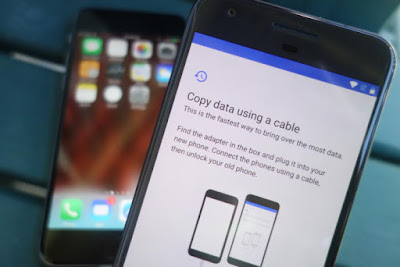
Switching Phones - An Illustration Anda berbicara Bahasa Indonesia? Baca artikel terjemahannya di sini ! I'll admit this last few weeks are kind of slow, so that's why I'm writing this. In this article, I'm going to share a tip on how to quickly move between devices. A decade ago, moving between devices is a pain. You have to manually backup your contacts, photos, etc. using PC Suite, if you still remember the term. Coupled with the limited technology back then, it was a painful chore. But now, thanks to cloud technology, everything is a snap. I'll show you. Oh, and before we begin, let me tell you that I'll be using the most common services, which should be used by most people. You may use other services, but I bet that you are currently using at least one of these. Oh, and this guide is mainly aimed for switching from one Android phone to another. I'll mention iOS at some points, but that's not our main topic. Contacts, Calendar, Mail: Google...