Posts

Showing posts with the label security

Quick Guide: Clear Administrator Error When Removing Google Account On Xiaomi Devices
Image
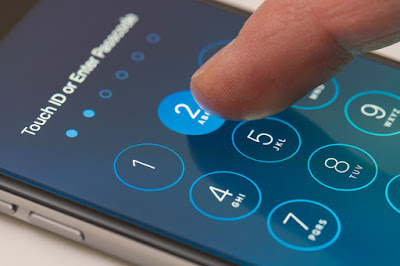
Illustration. No, we're not talking about iOS today. Anda berbicara bahasa Indonesia? Baca artikel terjemahannya di sini ! It's been quite a while since I last wrote a quick guide. Well, things have been busy and since there's no budget for a new device, well… device reviews will be paused for quite a bit. Instead, I will be writing reviews for apps and quick guides for overcoming errors in my devices. So, what's in store this time? Recently, I switched from Xiaomi Mi Note 2 to Asus Zenfone 3. Why, because the Mi Note 2 was not mine, and I won a free Zenfone 3. I prefer Zenfone 3's camera (which uses the same sensor as Mi 5, BTW) so I switched. Fortunately, the Snapdragon 625 wasn't that much slower than the former-flagship 821, so I don't really notice the downgrade. Before returning the Mi Note 2, I had to remove my Google Account in it. Otherwise, the owner will need my password to re-use that device, even after a factory reset. That's been ...


LastPass - For Your Eyes Only: Using Password Managers for Your Account Safety

Image
Anda bisa berbahasa Indonesia? Baca artikel terjemahannya di sini ! Okay, let's face it. I've got several of my accounts hacked. What's worse is that some of the accounts were holding some of my money (e-money, since two of three hacked accounts feature "balance" for easier transaction). You can read the stories over at Technoverse (Indonesian language). I didn't write about the last hacking attempt, since I've finally become embarrassed of it and think "Okay, this has to stop. Three is so enough that it's not funny anymore". I used to have 2 different passwords for most of my account, probably that's why my accounts got hacked so easily. All of them have the same email or similar username. I've read somewhere that the most secure password is the password that even you cannot remember . Okay, that's my mistake... Use password managers. It's for your own safety. To help me redeem myself, I've finally decided to ...

How to Disable Gatekeeper on macOS Sierra

Image
Gatekeeper Logo Anda berbicara bahasa Indonesia? Baca artikel terjemahannya di sini ! I've been using Mac for quite a long while, and I must say that I like it, despite the direction the UNIX-based platform is going and the insane price a certain manufacturer is asking for their laptops. In fact, I'm planning to keep my 2012 MacBook Pro until its death, at which point I may or may not have enough money to afford another one. Anyway, today's not about my Mac, today's all about OSX's (now macOS) security feature, Gatekeeper. If you're a frequent Mac user like me, I'm pretty sure you know about this feature already. Yes, Gatekeeper is Apple's solution to make its OS secure. Its purpose is to stop malware from ever entering your Mac, usually by installing malicious apps from unknown sources. Though it sounds good, I found out that the security is kind of... annoying, especially on Sierra, the Mac's latest iteration, especially if you like to inst...