Posts

Showing posts with the label guide

Guide: Migrate Your Wordpress Site From One Server to Another
Image
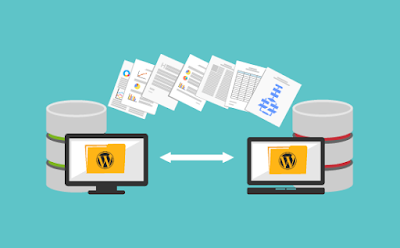
Wordpress migration illustration Anda berbicara Bahasa Indonesia? Baca artikel terjemahannya di sini ! P.S.: Please excuse some of the pictures. Currently, I'm testing a watermarking software. Watermarking is needed to prevent misuse of the pictures in this blog. Pictures will only be watermarked if I personally took or made them. If you’re looking for an easy, no-nonsense blogging platform, Wordpress is still the way to go. It’s supported by many hosting companies, has solid community, thousands of plugins and themes, and regular updates. Installing it is also a breeze, with many hosting companies offer automatic, scripted installation for free. If you want an example, our sister blog, Technoverse , is based on Wordpress. But, the problem with a lot of hosting platforms is that sometimes, we feel the urge to move. This urge can be caused by many things: cheaper rates, promotions, better and faster servers, etc. This move calls for migration, and for some people, it...


Fixing That Yellow Tint in Windows

Image
Again, it's been ages since I updated the post in this blog. The internship got me and that made my holidays more precious than spending time with computers. Fortunately, all of those are now behind me, although there's still paperwork to write. Well, the point is that my timeframe has become more... loose, and I have more time to breathe. Anyway, enough about me and my end-of-the-year holiday. Today I'm here to talk about a small glitch that has been plaguing the Windows Photo Viewer recently. Yes, if you have that strange yellow tint in the viewer, then you have this glitch. I first noticed this issue when I first used Windows 8 and installed the Office 2013 package. I don't know what's the cause, since people on the forums also reported this issue ever since installing new graphics drivers. Whatever the cause is, I'm here to share a solution on how to solve it. Notice something wrong in this picture? If you're Indonesian, you should :p It turns o...

Testing Out What's App for Web

Image
What's App Logo Well, it's been another while since I last updated my blog. Again, I've been busy with college work, mainly internship. In this new year holiday, I need to work as an intern in a company. It's mandatory for my major in order to be able to graduate... after you've finished your thesis, of course. Anyway, I recently stumbled into something interesting. It's not that new, but it's worth knowing, especially if you're a user of What's App, and sometimes find yourself too busy to just take a look at your phone, let alone reply your messages. Yep, you got that right. What's App recently outed the web client for their popular cross-platform messenger. Although I've been happily using it for two days now, there are a few limitations I've discovered so far: It only works in Google Chrome... for now. Although this may not sound like trouble, some people don't like Google's browser. For example, I may use Google Ch...

How to Install Fonts into Your Mac

Image
FontBook. The Tool You Need to Install Fonts into Your Mac. In newer Windows (Vista and above), it's easy to install fonts you download from the Internet. You just right-click on them, and click 'Install'. For more than one fonts, you can just select all the fonts you want, right-click, and 'Install'. Yes, it's that simple. However, for Mac... Things aren't as easy, I'm afraid. There's a built-in tool in Mac OS X called 'Font Book'. It's basically a Font Manager, which shows all the fonts you have in your Mac. It's the tool that you need in order to install external fonts. Head past the break and I'll show you how to install them :)

Which WinRAR Compression Do You Need? [GUIDE]

Image
Okay, this is finally the time when I write a serious (and perhaps useful) post. The last time I wrote a post was about the first anniversary for Steve Jobs' passing. You can read it below this post. He was one of great people that mankind will miss. Anyway, the post before the anniversary was already weeks ago. Thanks to the busy routines and tons of assignments in my lecture, I almost abandoned by beloved blog. Today, though... marks the day for my return. Hit the break if you're interested about the meaning behind 'Store', 'Fast', 'Best', etc. :D