Posts

Showing posts with the label google

Google Tasks Review - Google's Second Attempt at To-Do List
Image
Google Tasks logo Anda berbicara bahasa Indonesia? Baca artikel terjemahannya di sini ! Believe it or not, to-do lists have played quite an important part in my life. They (obviously) help me keep track of my tasks, my shopping lists, and even my blogging process. I do admire Apple's Reminder app, as it is simple, user friendly, and just works. It effortlessly and automatically syncs across your devices (mac, iPhone, iPad), so the principle of 'write once, see everywhere' is gracefully and elegantly applied here. I wish I could've said the same about Google, though. For some reason, I cannot bear using iOS as my primary mobile OS, so I cannot maximize that Reminder app's full potential. Unfortunately, Google didn't have the same app that works as good as Apple's Reminder. They do have Keep, but you can't possibly call keep a full to-do list app, no? For me, Google Keep is more like a versatile, all-in-one notes app, which is not what I'm look...
Quick Tip - Quickly Switching Phones

Image
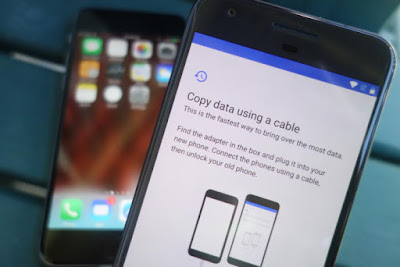
Switching Phones - An Illustration Anda berbicara Bahasa Indonesia? Baca artikel terjemahannya di sini ! I'll admit this last few weeks are kind of slow, so that's why I'm writing this. In this article, I'm going to share a tip on how to quickly move between devices. A decade ago, moving between devices is a pain. You have to manually backup your contacts, photos, etc. using PC Suite, if you still remember the term. Coupled with the limited technology back then, it was a painful chore. But now, thanks to cloud technology, everything is a snap. I'll show you. Oh, and before we begin, let me tell you that I'll be using the most common services, which should be used by most people. You may use other services, but I bet that you are currently using at least one of these. Oh, and this guide is mainly aimed for switching from one Android phone to another. I'll mention iOS at some points, but that's not our main topic. Contacts, Calendar, Mail: Google...

Trying Out Material Design in Google Chrome

Image
Google's Illustration of Material Design Do you speak Indonesian? Read the translated article here . If you're an Android enthusiast like myself, I'm pretty certain that you, at least, have heard of the term "Material Design". Yes, it's the design guideline recommended by Google to streamline the interface of Android OS and apps. If I remember correctly, the design was introduced in version 5 (Lollipop) and it's getting better with 6 (Marshmallow) and the upcoming 7 (Nougat). Let's just pray that our phones will get it :p. Anyway, the design is also starting to get popular among app developers, even major ones. And, if you like Material Design, I have a good news for you who use Google Chrome as your daily web surfing companion: Material Design is actually present in Google Chrome, though it's hidden. You just need to find the settings and enable them. Where are the settings? As usual, it's past the break. Don't worry, it's goin...